shipping
labels
fulfillment
carriers
fedex
ups
usps
order-management
Creating Shipping Labels
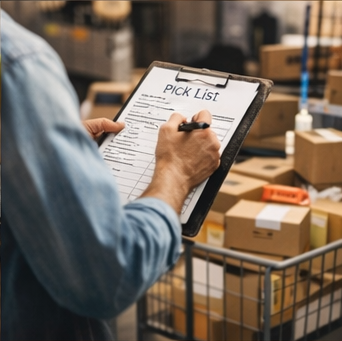
Getting to the Label Screen
From the Orders / Shipments screen:
- To print labels in bulk: select multiple orders, then click Create Label
- To print a label for a single order: open the order and click Create Label from the order detail view
How Rates Are Fetched
When you open the label screen, Analision automatically fetches available shipping rates based on:
- The order's destination address
- The package dimensions and weight (from saved presets or manually entered)
- Your connected carrier accounts (FedEx, UPS, USPS, Amazon-negotiated rates, etc.)
The system surfaces the lowest-cost option that meets the delivery deadline by default.
Sorting and Comparing Rates
You're not locked into the default suggestion. Use the controls to sort rates by:
- Lowest Price — Cost-sensitive shipments
- Fastest Delivery — Time-sensitive or late orders
Click any rate to select it before printing. The estimated delivery date is shown for each option so you can balance speed and cost.
Package Dimension Presets
Rather than entering box dimensions and weight for every shipment, you can save presets for your most common package sizes.
Creating a Preset
- On the label screen, enter the package dimensions and weight manually
- Check Use for Similar Shipments and click Save Preset
- Give it a name (e.g., "Small Glasses Box – 8oz")
Next time you ship the same type of product, select your preset from the Presets dropdown and rates will populate immediately.
Automatic Dimension Scaling
When an order contains multiple units of the same product, Analision automatically scales the saved dimensions and weight:
- 2 units → dimensions and weight × 2
- 3 units → dimensions and weight × 3
This means you don't need to manually calculate package weight for multi-unit orders. If the auto-scaled dimensions don't match your actual packaging, you can override them on the label screen before printing.
Splitting Orders into Multiple Shipments
If you need to split one order into multiple packages (for example, shipping 2 units together and 3 units separately):
- The bulk label screen creates one shipment per order automatically — it does not support splitting
- To split an order, go to the single-order label view, create the first partial shipment, then return and create the second
Supported Carriers and Integrations
Analision pulls rates from:
- FedEx
- UPS
- USPS
- Amazon Buy Shipping (if your Amazon seller account is connected)
- ShipStation (if integrated — rates appear alongside others when available)
Note: ShipStation rates may not always appear in the rate comparison list depending on your integration configuration. Contact your account manager if you expect to see ShipStation rates but they're not showing.
After the Label Is Printed
Once a label is created:
- The order moves to Shipped status in the Shipments screen
- If Auto Pick is enabled, stock is deducted from inventory automatically at this point
- The tracking number is recorded and visible in the Shipment History screen